


My Tello
3.91.44K Reviews
App Specs
- Version
- 3.23.1
- Updated On
- License
- Free
- Downloads
- 100,000+
- Developer
- Tello LLC
- Categories
- Communication
- Platform
- Android
Screenshots
 Analysis by AppCompare
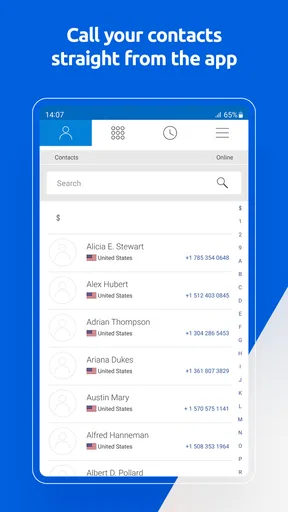
I approached My Tello as a practical communication companion rather than a full replacement for every phone-service tool. It is an app from Tello LLC for checking your mobile balance, managing your account, choosing a Cell Plan or Pay As You Go service, and making calls over Wi-Fi. In everyday use, that combination makes the most sense for someone who already uses Tello and wants the account side of the service close at hand.
The app is free, aimed at Everyone, and belongs to the communication category. Its current version is 3.23.1, and it requires Android 10 or later. Those details matter because this is not an app I would install casually on an older spare phone without first checking the operating system. On a supported device, though, it presents itself as a focused account-and-calling utility rather than a crowded social platform.
How My Tello feels today
My first impression is that the app is built around quick decisions. Instead of making me search through a carrier website whenever I want to check my account or consider a service change, it puts those tasks in one mobile location. That is especially useful when I am away from a computer, trying to understand whether I need to add credit, review my current arrangement, or place a call where Wi-Fi is the more convenient connection.
The most useful way to think about it is as a control panel for Tello service. It is not trying to be a general messaging hub, a contacts replacement, or a broad internet-calling community. That narrower purpose is a strength when I want account information and Tello calling in the same place, but it also sets expectations. Someone looking for a feature-rich chat app will find the experience intentionally limited.
The store summary highlights balance checking, account management, buying a Cell Plan or Pay As You Go service, and calling over Wi-Fi. In my view, those functions cover the moments when a carrier app earns its place on a phone: before a purchase, during a service check, and when mobile coverage is inconvenient but a reliable Wi-Fi connection is available.
There is also a useful difference between using a carrier website in a browser and using a dedicated app. A browser can handle occasional account work, but it often feels like a separate chore. My Tello is better suited to the person who checks service details from a phone and wants the calling option nearby. I would still use the website or another support route for complicated account issues, but for routine actions the app is the more natural starting point.
What the main tools are good for
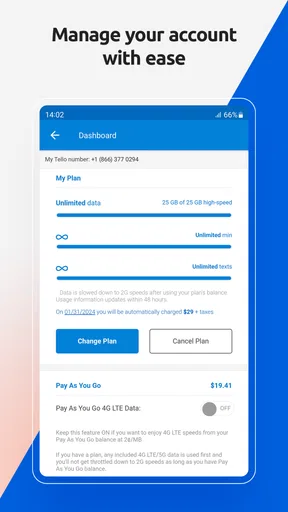
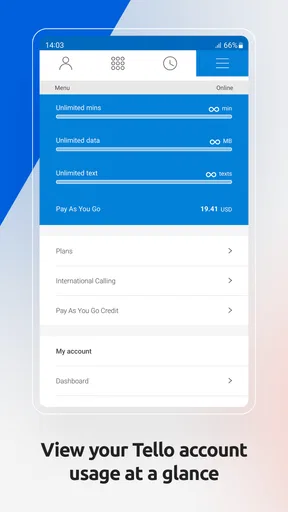
Balance checking is more valuable than it sounds, particularly for Pay As You Go users. I can see why someone would want a quick view before making calls or deciding whether to add service. That small check can prevent an avoidable interruption, especially when the phone is being used as a secondary line, a travel device, or a controlled monthly expense.
Worth Reading Before You Choose

EA SPORTS FC Mobile 26 Is a Bigger Football Game, but It Takes Time

Flipboard Shows What News Apps Must Do Beyond the Feed

Switching to Android Auto Means Rethinking Your Driving Routine

Google Calendar Makes a Crowded Week Easier to Manage

Ludo King Makes the Most of the Minutes Between Plans

Baby Panda World Brings Quick Play to Modern Phones, but Its Game Library Feels Busy
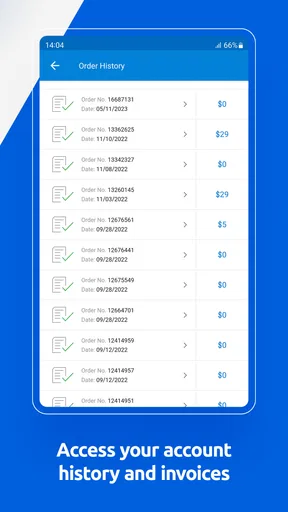
Account management is the broader part of the experience. It gives the app a purpose beyond displaying a balance, because service decisions can be handled from the same account space. The practical advantage is continuity: I do not need one place to review the account and another place to begin a purchase. I can make the decision while I am already looking at the service information.
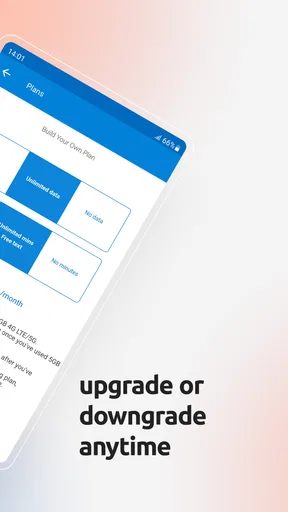
The option to buy either a Cell Plan or Pay As You Go service also makes the app relevant to different usage styles. A regular plan may be the more comfortable choice for someone who uses the phone steadily, while Pay As You Go can appeal to people who want tighter control over when they spend. I would not choose between them solely from the app interface; I would first consider how predictable my calling needs are and how often I want to manage the account.
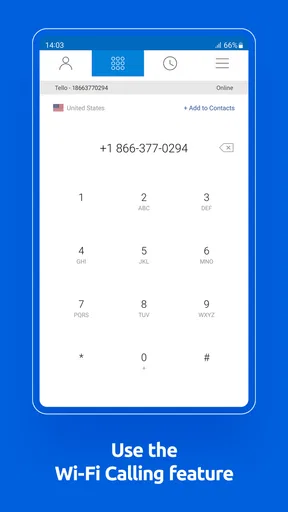
Wi-Fi calling is the feature that changes the app from a simple account viewer into a communication tool. In a realistic situation, imagine arriving at a building where cellular reception is weak but the Wi-Fi is dependable. Rather than treating the phone as unusable, I can try calling through the app. That is a sensible fallback for a home office, a basement room, a hotel, or another place where the network experience is uneven.
There is an important trade-off here. Wi-Fi calling is only as dependable as the connection carrying it. A strong-looking Wi-Fi signal does not always mean a stable connection, and a congested network can make a call less comfortable. I would treat this function as a useful alternative, not as a promise that every call will outperform ordinary cellular service.
Small workflows that make the app more useful
One workflow I recommend is checking the balance before starting a call-heavy task. If I know I will be contacting several people, reviewing the account first is a simple way to avoid discovering a service issue halfway through. This is more practical than waiting for a warning at an inconvenient moment.
A second workflow is to use the app when deciding whether a change belongs in the account at all. Rather than opening it only when something has gone wrong, I can review the current service and then decide whether a Cell Plan or Pay As You Go option better matches the way I actually use the phone. That turns the app into a planning tool, not merely a troubleshooting shortcut.
A third useful habit is separating account work from connection testing. If I need to make a Wi-Fi call, I would first confirm that the device is connected to the intended network and that other internet activity works normally. Then I would use the calling function. This two-step approach helps distinguish an app problem from a weak or overloaded Wi-Fi connection, which can save unnecessary account changes or repeated attempts.
I also see value in using My Tello on a secondary phone. A spare device can be easy to forget, especially when it is used only for travel, emergencies, or a family member. Having balance and service controls available on that device makes occasional use less awkward. The limitation is that the phone still needs to meet the Android requirement, so very old hardware may not be suitable.
What the current version tells me about its direction
The current version is 3.23.1, which shows that the app has continued through multiple iterations since its original release on October 13, 2015. I would not treat the version number alone as proof of a particular feature or redesign, but it does place the app in a mature stage rather than at the beginning of its life.
That history matters because carrier apps have to keep pace with account operations and mobile operating systems. An app that combines service management with calling needs ongoing maintenance simply to remain usable as phones change. The present version and Android 10 minimum suggest that the developer is maintaining a current supported environment, while also drawing a line under much older devices.
For existing users, the practical effect of that evolution is less about novelty and more about confidence in the central workflow. If the app opens correctly on a supported phone and the account information is available, the value comes from reducing the number of steps between a question and an action. I would judge future updates by whether they keep that path clear instead of adding clutter around it.
The app has an average rating of 4.0 from around 3,400 ratings, with around 1,400 written reviews. I read that as a generally positive but not flawless reception. It suggests that many people find the app useful enough for its purpose, while the less-than-perfect average is a reminder that carrier-related apps are judged on reliability, account accuracy, and calling behavior, not only on visual design.
My Tello has also passed the threshold of over 100,000 installs. That is enough to indicate a real user base, but it is not a reason to assume that every phone, network, or account situation will behave identically. With this kind of app, the quality of the surrounding service and the device connection can shape the experience as much as the interface itself.
Where it compares well with usual alternatives
Compared with using a mobile browser, My Tello feels more direct for repeated account tasks. The browser alternative remains useful if I am on a computer, using a device that cannot install the app, or dealing with a task that is easier to read on a larger screen. For quick phone-based checks, however, a dedicated app removes some friction.
Compared with a general calling app, My Tello has a different advantage: its calling feature sits alongside Tello account functions. A standalone internet-calling service may be better for people whose contacts already live in that service or who want a broad messaging ecosystem. My Tello is more appropriate when the call is part of a Tello mobile-service relationship.
It also differs from a traditional carrier app that focuses mainly on billing and usage dashboards. My Tello includes account management, but the Wi-Fi calling capability gives it a more immediate communication role. I would choose it over a generic carrier portal when I want to move from checking service to making a call without switching contexts.
On the other hand, I would not recommend it as the only communication app for someone who expects group chats, media sharing, social discovery, or a large cross-platform messaging network. Those are not the reasons to install it. Its best use is narrower and more practical: managing Tello service and using the available calling route.
Who should use it, and who should look elsewhere
I think My Tello is a good fit for an existing Tello customer who prefers handling service from a phone. It is especially sensible for Pay As You Go users who want to monitor their balance, for people who occasionally need to buy or adjust service, and for anyone who regularly encounters places where Wi-Fi is more dependable than cellular reception.
It may also suit someone who wants to keep communication spending deliberate. The app does not remove the need to make sensible service choices, but having account controls nearby makes it easier to review the situation before committing to a purchase. That is useful for a secondary line, a travel phone, or a household member whose usage changes from month to month.
I would skip it if I do not use Tello, because its account-centered design gives little reason for an unrelated carrier customer to keep it installed. I would also look elsewhere if I need a universal calling and messaging service that works independently of a carrier account. In that case, a general communication platform may be a better match.
People with phones below Android 10 should check compatibility before planning around the app. Even if the device still handles ordinary calls well, the current requirement can be a deciding factor. I would also be cautious about relying on Wi-Fi calling as the sole backup in places with unstable internet. It is a useful option, but it should complement rather than replace a dependable primary connection.
Remaining friction in everyday use
The biggest limitation is the app’s specialization. Because it is centered on Tello service, its usefulness depends heavily on whether I need those particular account and calling tools. That is not a flaw in the same way a missing feature is a flaw; it is simply a boundary. The app is easier to recommend when the user’s needs line up with that boundary.
Another point of friction is the relationship between account actions and real-world connectivity. Buying service or reviewing a balance still depends on being able to reach the account system, while calling over Wi-Fi depends on the quality of the local network. If I am troubleshooting from a place with poor internet, the app cannot magically remove that underlying problem.
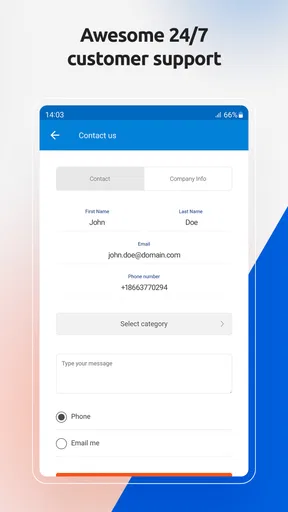
I also would not use a carrier app as my only record of important account details. For routine checks, it is convenient. For a complicated change, I prefer to read carefully, confirm what I am selecting, and keep any relevant confirmation information. That is good practice with any service-management app, especially when the action affects how a phone can be used later.
The rating of 4.0 reflects this balanced picture. My Tello appears useful for its intended job, but a solid rating is not the same as universal satisfaction. The experience can vary depending on whether the user wants a streamlined utility or expects a complete communications suite.
What I would watch in future updates
With a mature app like this, I would watch for improvements that protect the core workflow: clearer account status, smoother movement between balance checks and service purchases, and dependable access to Wi-Fi calling. Those are the areas where an update can make a real difference without changing the app’s identity.
I would also pay attention to how the developer handles operating-system support. The Android 10 minimum is reasonable for a current app, but users with older phones need a clear path before an update leaves their device behind. Continued compatibility work would matter as much to existing users as any new visual feature.
For people already using My Tello, my advice is simple: keep it for the account convenience, but test the Wi-Fi calling workflow before you urgently need it. Try it on the networks you use most, learn where the balance and service controls are, and do not wait for a low-balance moment to discover how your particular connection behaves.
My final view is that My Tello succeeds when I treat it as a focused Tello utility. It brings account management, service purchases, balance awareness, and Wi-Fi calling into one place without pretending to be a universal messaging platform. Its real strength is reducing everyday service friction for Tello users. If that is exactly what I need, the free app is an easy recommendation. If I want broad social communication or a carrier-independent calling network, I would choose a different tool instead.
Pros
- Simple interface makes remote control setup easy.
- Works well for basic flight practice and casual users.
- Live controls feel responsive when the connection is stable.
- Compact app keeps essential flight functions easy to find.
- Useful for learning drone controls without complex settings.
Cons
- Connection quality can vary with distance and nearby interference.
- Advanced pilots may find the flight options too limited.
- Some devices may experience lag during live video streaming.
- Battery usage can increase during extended flying sessions.
- The app may require permissions that some users find excessive.
FAQs for My Tello
What is My Tello and what can I use it for?
My Tello is the companion application for Tello drones, designed to help users connect to and control a compatible drone from a mobile device. After installation, the app can provide access to flight controls, camera functions, live video, photo and video capture, flight settings, and other features supported by the drone model and its firmware. It is mainly intended for recreational flying, basic aerial photography, and learning drone controls.
Is My Tello compatible with my Android or iPhone?
Compatibility depends on your device’s operating system version, hardware, and the specific Tello drone model you own. Before downloading, check the app’s current requirements in the official Google Play Store or Apple App Store listing. A phone with stable Wi-Fi, sufficient storage, and a relatively recent operating system is recommended. Older devices may install the app but provide slower video transmission, connection problems, or limited performance.
Does My Tello require an internet connection to fly the drone?
My Tello generally connects directly to the Tello drone through its wireless network, so an active mobile-data connection is not normally required during a flight. However, internet access may be useful for downloading the application, checking updates, accessing support information, or signing in if a particular version requests it. Before takeoff, enable Wi-Fi, connect to the drone’s network, and avoid switching networks while operating the aircraft.
Can I take photos and record videos with My Tello?
Yes, My Tello is intended to let compatible Tello drones capture photos and record video through the built-in camera. The app typically displays a live preview and provides on-screen controls for taking pictures or starting and stopping recordings. Image quality, stabilization, storage location, and available camera options depend on the drone version. Make sure your phone has enough free space and grant the requested camera, photo, and storage permissions.
Is My Tello suitable for beginners, and what should I know before flying?
My Tello is generally approachable for beginners because it presents basic flight controls and camera functions in a mobile interface. Nevertheless, the app does not replace safe piloting practices. Read the drone manual, update the app and firmware, charge the battery, and practice in a clear open area away from people, trees, buildings, and power lines. Also check local drone regulations, respect privacy, and keep the aircraft within reliable visual and wireless range.


